Spelling Test & Practice PRO
LittleBigPlay - Word, Educational & Puzzle GamesWord
4.612.00 Reviews
- Version
- Varies With Device
- Installs
- 10.00K
- Age Rating
- Everyone
Screenshots



Our Review of Spelling Test & Practice PRO
 Analysis by Appyee
When a spelling app feels confusing, I usually stop before blaming my memory: a setting, a rushed tap, or a mismatch between what I want to practise and what the test asks can all interrupt a session. Spelling Test & Practice PRO is aimed at English spelling, with timed tests and a separate practice mode, so it suits short study bursts more than a full language course. I’d approach it as a focused tool for noticing and correcting spelling mistakes, not as a complete way to learn English.
Where a spelling session can go off track
The main choice is whether to practise without a clock or try a timed test. If you are still learning a word, pressure can make the result less useful: you may be measuring how quickly you respond rather than whether the spelling has stuck. I’d begin in practice mode, then use a timed test later as a check. That small order change makes it easier to separate learning from performance.
It also helps to be clear about your goal before opening the app. A learner preparing for a spelling quiz may want repeated exposure to English words, while someone polishing everyday writing may need to focus on the errors they personally make. A spelling game can offer structured practice, but it won’t automatically know which words cause trouble in your emails or schoolwork. I’d keep a short note of recurring mistakes outside the app and use sessions to reinforce those patterns.
Simple checks before you begin
Spelling Test PRO is a paid word game from LittleBigPlay - Word, Educational & Puzzle Games, priced at $1.49. It is rated for Everyone and runs on Android 2.3 or later, which makes it accessible on a broad range of Android devices. The game has an average rating of 4.6 from 184 ratings, with 10K+ installs. Those figures offer a quick sense of its audience, but they matter less than whether the practice style fits your needs.
The game is designed to work offline and without ads, two useful qualities if you want to practise during a commute or avoid interruptions. Before relying on any app while travelling, I’d open it once while connected and make sure it is ready to use on your device. If it does not behave as expected, close and reopen it, check that the device has enough free space, and make sure you have installed it from the official store. These are sensible first checks for many mobile apps, rather than evidence that this game needs special setup.
Build a repeatable practice routine
A useful routine does not need to be long. I’d pick a calm moment, do a short practice session, and pause to review any spelling that caught me out. Later, I’d return to a timed test to see whether I can recall those forms when moving faster. The point is not to chase a perfect score every time; it is to notice whether the same kinds of mistakes keep appearing.
If a session is interrupted, there is no need to treat it as a failed study day. Reopen the game and start a fresh, manageable round rather than trying to recreate the exact moment you left. For better retention, say a difficult word aloud, write it once, and connect its spelling to a phrase you already know. That extra step happens outside the game, but it can turn a quick answer into a memory you can use in real writing.
Getting Started with Spelling Test & Practice PRO
The first thing I noticed about Spelling Test & Practice PRO is how easy it is to get started. After a quick download from the app store, you're greeted with a simple and intuitive interface. No frills, no complications—just straightforward design that helps you get right down to business. As someone who appreciates a clutter-free experience, I was pleased to see that the app doesn’t bombard you with unnecessary features.
Features That Stand Out
Once you’re in, the app offers a rich set of features designed to challenge and improve your spelling skills. Here’s a quick rundown of what I found most impressive:
- Customizable Tests: You can choose the level of difficulty that suits you best. Whether you're a beginner or a spelling bee champion, there's something here for everyone.
- Practice Mode: This is where you can hone your skills without the pressure of a timed test. Perfect for those who like to take their time and really focus on improvement.
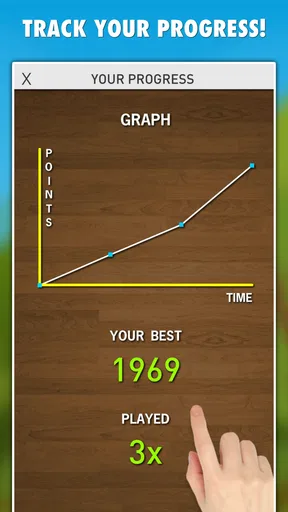
- Progress Tracking: The app keeps tabs on your progress, allowing you to see which words you’ve mastered and which ones need more work. It’s like having a personal tutor right in your pocket.
Using the App: A Day in the Life
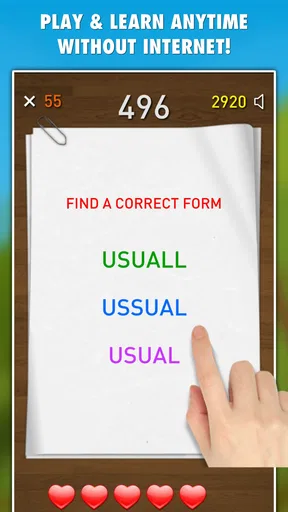
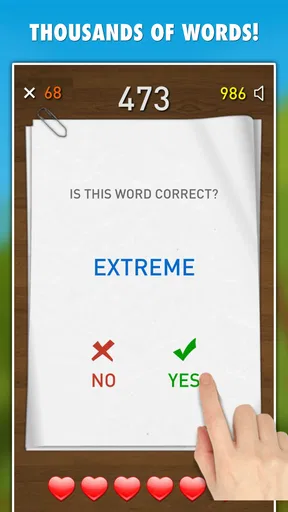
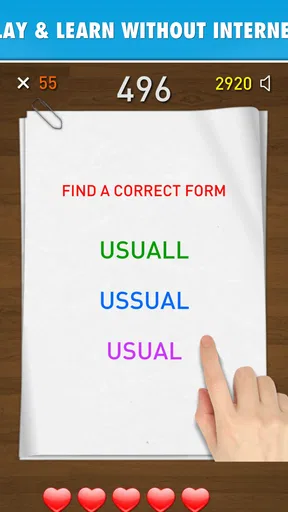
Let me walk you through a typical session with the app. You start by selecting a test or jumping into practice mode. I personally love the practice mode because it gives me the freedom to learn at my own pace. As you work through the words, the app provides instant feedback. Misspelled a word? No worries, it not only corrects you but also offers explanations and tips to help you remember for next time.
I found the audio prompts particularly useful. It’s one thing to see a word, but hearing it pronounced correctly helps solidify it in your memory. Plus, it’s perfect for auditory learners.
The Social Element: Compete and Share
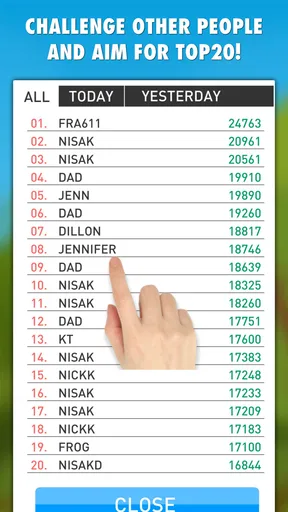
If you’re someone who thrives on a bit of competition, you’ll love this feature. The app allows you to compete with friends or other users around the world. You can share your scores and even challenge others to beat your best. It adds a fun, social aspect to what could otherwise be a solitary activity.
Who this game fits—and who may prefer another approach
I can see this being a good fit for someone who wants a small, direct spelling exercise rather than a broad vocabulary course. It can also work for a parent looking for a simple English spelling activity to try alongside a child, or for an adult learner who wants to practise between other commitments. The Everyone age rating is reassuring for family use, though I’d still choose words and session length to suit the learner’s age and confidence.
For a realistic routine, imagine having ten quiet minutes before a class or while waiting for an appointment. I’d use practice mode to work through words without turning the break into an exam, then do a timed test on another day when I want a sharper check. The offline design makes that kind of flexible use appealing. It is less suitable if you need a structured curriculum, detailed grammar lessons, or writing feedback on complete sentences; a spelling game has a narrower job than a language-learning platform or a human tutor.
How it compares with other ways to learn spelling
Compared with spelling worksheets, this game offers a more active way to answer and check words, and the timed option adds a clear challenge. Worksheets can still be better when you want to annotate, group words by a rule, or keep a paper record of mistakes. Compared with flashcards, the app gives you a more test-like experience, while cards may be easier to tailor to a specific class list or personal vocabulary.
I wouldn’t treat any score or streak as proof that a word is fully learned. A useful test is whether you can spell it later in a message or on paper without hearing a prompt. One practical trade-off is that audio-led practice depends on being able to listen comfortably in the moment; in a noisy place, a quiet room or a later session may be more effective. If you mainly want pronunciation conversation or help composing sentences, a different kind of learning app will serve you better.
When a problem may come from the device or the study plan
If the game opens but a session feels harder than expected, I’d first check whether I selected a timed test when I meant to practise, and whether distractions are making it difficult to listen or concentrate. If the app itself fails to open, the basic steps are to close it, restart the device, and check for an available app update in the store. Since the game is intended for offline use, a temporary loss of internet should not be the first explanation for every issue, but downloading or updating still requires a working connection.
It is also worth checking the device’s audio level when prompts are difficult to hear. If sound works elsewhere but not in this game, restarting the app is a reasonable next step. I would avoid repeatedly tapping through a test when something seems stuck; pause, reopen, and begin again when you can focus. If the same fault continues, contacting the developer through the app store is more useful than assuming a spelling answer or practice method is to blame.
What to expect from the purchase and the learning experience
The $1.49 price is a one-time purchase detail worth considering against how often you expect to use it. I’d find it easiest to justify for regular short practice, especially if offline access and the lack of ads matter to you. If you only need help with a single school list, a notebook or teacher-provided exercise may be enough. The game was released on Aug 21, 2018, so I would judge it by whether it runs comfortably on my device and meets my present needs, rather than expecting the newest presentation or a broad set of modern learning tools.
One question people often have is whether it can replace an English course. I wouldn’t use it that way: spelling practice is useful, but it does not take the place of listening, speaking, grammar, reading, and writing in context. Another is whether a learner must be advanced to benefit. I’d say no, provided the practice feels manageable; the best starting point is the mode that keeps frustration low enough to make a second session likely.
Final Thoughts
In the grand scheme of educational apps, Spelling Test & Practice PRO really stands out for its focus on user experience and effectiveness. It's not just about cramming words; it’s about understanding and retention. The app’s sleek design, combined with its comprehensive features, makes it a must-have for anyone looking to improve their spelling skills.
So, if you’re ready to take your spelling game to the next level, give this app a whirl. Who knows? You might find yourself actually enjoying the process of learning new words. After all, with Spelling Test & Practice PRO, learning is just a tap away.
My practical verdict is that I’d choose it for focused English spelling practice when I want a quick activity I can return to without ads or a connection. I would skip it if I needed a personalised lesson plan, detailed explanations for every spelling rule, or a broad language course. Used with a small routine—practise calmly, revisit mistakes, and test recall later—it can be a handy part of learning, rather than the whole plan.
Verdict
Strengths of Spelling Test & Practice PRO
- User-friendly interface for all ages.
- Customizable difficulty levels.
- Tracks progress effectively.
- No ads interrupting practice.
- Supports multiple languages.
Limitations of Spelling Test & Practice PRO
- Limited free content available.
- Requires internet for full features.
- Occasional lag in older devices.
- Lacks interactive game elements.
- Some features behind paywall.
Other Releases by LittleBigPlay - Word, Educational & Puzzle Games
View All


Similar Picks in This Category
View All
Word Search - Word Puzzle Game
Bluetile4.8

Word Search Quest - Puzzles
Blackout Lab4.8

CodyCross: Crossword Puzzles
Fanatee, Inc.4.7

Words of Wonders: Crossword
Fugo Games4.9

Wordscapes: Word puzzle game
PeopleFun4.7

Word Search Explorer
PlaySimple Games4.9
Frequently Asked Questions
What features does Spelling Test & Practice PRO offer?
Spelling Test & Practice PRO offers a variety of features including personalized spelling tests, practice sessions with immediate feedback, and progress tracking. The app supports multiple user profiles, making it ideal for family use. It also includes customizable word lists and a comprehensive dictionary to enhance learning.
Is Spelling Test & Practice PRO suitable for all age groups?
Yes, Spelling Test & Practice PRO is designed for a wide range of age groups. Whether you're a young learner or an adult looking to improve spelling skills, the app provides tailored difficulty levels. It adapts to the user's proficiency, making it suitable for elementary students, high schoolers, and adults.
Does the app require an internet connection?
Spelling Test & Practice PRO primarily functions offline, allowing users to access most features without an internet connection. However, some features, like syncing progress across devices or downloading additional word lists, may require internet access. This makes it convenient for consistent practice, anytime and anywhere.
How does the app track and report progress?
The app includes a detailed progress tracking system that records scores, time spent on practice, and areas needing improvement. Users can view reports and graphs that illustrate progress over time. This feature helps in identifying strengths and weaknesses, aiding focused practice and improvement.
Can users customize their learning experience?
Absolutely! Spelling Test & Practice PRO allows users to create custom word lists tailored to their learning needs. The app also lets users adjust test lengths, set practice reminders, and choose different test modes. This customization ensures a personalized learning experience, enhancing user engagement and effectiveness.
Play our best games!


